Do You Need an Action Camera App? Use the Wireless Remote When Hands Are Full
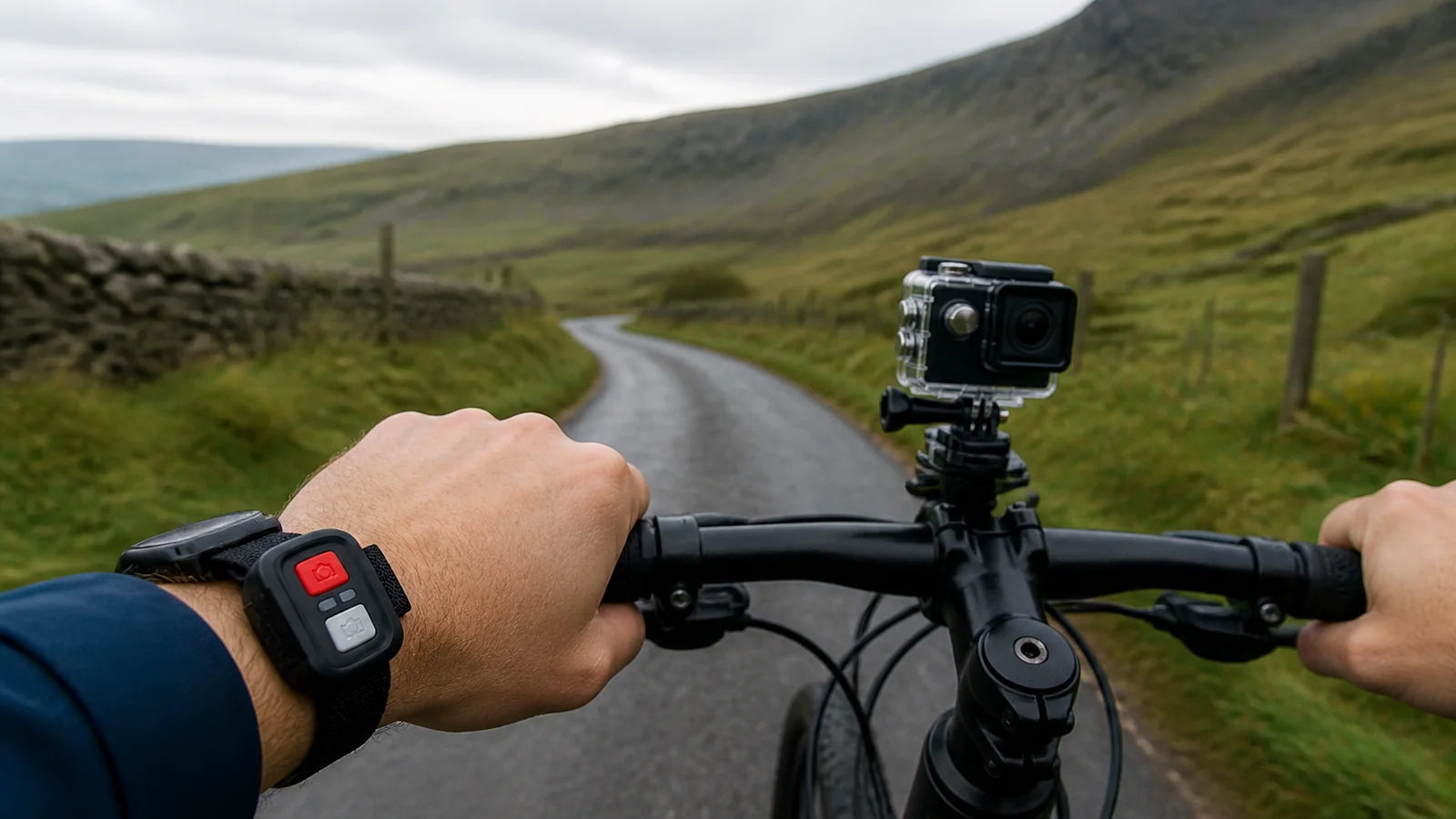
For everyday start and stop recording you do not need a phone app: use the wireless remote that ships with the camera. Keep Wi-Fi as an optional tool for preview or file access on a compatible phone when you are stopped and can follow the manual. A 4K Wi-Fi action camera bundle such as the G200R pairs a wireless remote with Wi-Fi so you can film while both hands stay on bicycle bars or luggage straps, without naming or depending on a specific app brand.
Remote-first workflow when your hands are full
Touring by bike, pushing a buggy, or holding a map leaves little spare attention for a phone. Strap or clip the wireless remote to a wrist or the handlebar so a short press starts or stops a clip. Menus, resolution (including 4K30 and other MP4 H.264 modes), and still capture at up to 16 MP still happen on the camera’s 2.0-inch non-touch IPS screen with physical buttons when you are safely stopped.
This split keeps the ride simple: remote for capture moments, camera body for setup. You avoid unlocking a phone in rain, sun glare, or traffic.
What Wi-Fi is for (and what it is not)
Wi-Fi on this class of camera is useful when you want to preview framing or move files to a compatible phone. Connect only as the manual describes. There is no requirement to install a named third-party app to make the remote work, and this guide does not prescribe an app title.
Wi-Fi is not required for basic recording. Leaving Wi-Fi enabled while you ride increases draw on the single 900 mAh battery. For a long day—roughly 90 minutes of 1080p recording as a planning figure—keep wireless networking off until you actually need preview or transfer, then switch it off again.
Side-by-side: remote versus phone connection
| Need | Wireless remote | Phone via Wi-Fi |
|---|---|---|
| Start / stop while riding or carrying bags | Best fit—hands stay free | Poor fit—distracting and slow |
| Change modes and menus | Not the main tool | Optional when stopped; or use on-camera buttons |
| Preview framing / pull clips | Not required | Optional on a compatible phone per manual |
| Battery impact | Low incremental cost | Higher if Wi-Fi stays on |
| Must install a named app? | No | Only if you choose phone features; follow the manual—no app name required here |
Practical tips for UK travel days
- Mount the camera with the handlebar or pole clamp or straps, then confirm framing once before you roll.
- Wear or bar-mount the remote where a gloved thumb can reach it without releasing the bars.
- Use the included 64 GB TF card and clear space at evening charge stops; USB-C charging takes about three hours at 5 V/1 A.
- At about 61 g the camera is easy to reposition at café stops—do menu work then, not mid-junction.
Boundaries
- Wireless remote covers everyday record control; it does not replace reading the manual for Wi-Fi pairing.
- No specific app name is required or endorsed in this article.
- Wi-Fi left on shortens usable time on the single 900 mAh battery.
- Screen is a 2.0-inch IPS panel and is not touch-controlled.
- Phone use while cycling is a distraction risk—prefer the remote in motion and phone tools only when stopped.
FAQ
Can I record without ever opening Wi-Fi?
Yes. Set mode on the camera, then use the wireless remote to start and stop.
Do I need the phone to use the remote?
No. The remote works as a dedicated wireless control for capture.
When should I bother with Wi-Fi?
When you are stationary and want preview or file access on a compatible phone, following the manual—then turn Wi-Fi off to save power.
Ready for a kit that includes the wireless remote with camera, housing, and mounts? See the 4K Wi-Fi action camera bundle — a 4K Wi-Fi action camera bundle such as the G200R lets you start and stop with the remote without a named phone app.